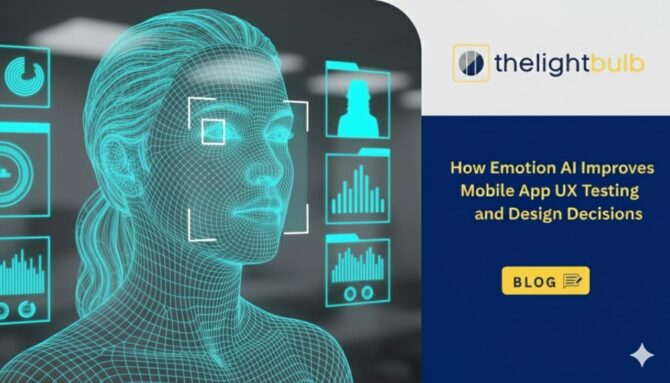
How Emotion AI Improves Mobile App UX Testing and Design Decisions
Mobile users are brutal. In the desktop era, a user might patiently wait 5 seconds for a page to load. In the mobile era, 53% of visits are abandoned if a mobile site takes longer than 3 seconds to load. Even worse, 70% of mobile apps are abandoned within a day of installation.
Why is the churn rate so high?
The answer lies in the gap between Functional Design and Emotional Design. Traditional mobile analytics (Google Analytics, Mixpanel, Crashlytics) are excellent at telling you what happened. They can tell you that 40% of users dropped off at the “Sign Up” screen. They can tell you the app crashed three times.
But they cannot tell you why a user rage-quit the app when everything was technically working perfectly. They cannot measure the subtle annoyance of a button that is slightly too small, or the confusion caused by an ambiguous icon.
To solve this, forward-thinking product teams are turning to Emotion AI. By leveraging the front-facing camera (with permission) during usability testing, we can now capture real-time user sentiment. We can move beyond “Thumb-Friendly” design to “Emotion-Friendly” design.
For a broader understanding of the underlying technology and how it functions across different research channels, you can explore The Complete Guide to Emotion AI in Market Research, which details the science of decoding the subconscious consumer.
Why Mobile UX Testing is Uniquely Difficult
Testing mobile experiences is fundamentally different and more difficult than testing desktop websites or television commercials.
1. The Distracted Environment
When a user watches a TV ad, they are usually sitting on a couch, passive. When a user interacts with an app, they are often walking, waiting for a bus, or multitasking. Their cognitive load is already high. This means their tolerance for friction is near zero.
2. The “Fat Finger” Frustration
Mobile screens are small. The difference between a delightful interaction and a frustrating one is often measured in pixels.
- Touch Targets: If a user has to tap a button twice because it didn’t register the first time, their face will show a micro-expression of annoyance (usually a slight lip tightener) long before they complain in a survey.
- Hidden Menus: Hamburger menus and gesture-based navigation can often lead to “discovery failure,” causing confusion.
These microscopic moments of struggle accumulate into what we call “Digital Friction.” While this friction is most acute on mobile, it isn’t unique to it. Learning to use Emotion AI to spot and smooth out digital experience pain points (Topic 5) across web and kiosk interfaces is equally critical for maintaining a seamless user experience.
The Technology: Turning the Selfie Camera into a Lab
How do we capture these fleeting moments of mobile frustration? The answer is already in your user’s hand.
The Proximity Advantage
Mobile Emotion AI has a distinct advantage over other forms of tracking: Proximity. When using a smartphone, the device is typically held 12–18 inches from the face. This creates a high-definition feed for the front-facing camera, allowing facial-coding algorithms to detect extremely subtle muscle movements (Action Units) with greater consistency due to the closer viewing distance.
Contrast with Ad Testing
It is important to understand that the signals we look for in App UX are different from Ad testing.
- In Ad Testing (Passive): We look for high arousal, joy, and surprise. We want the user to be entertained.
- In App UX (Active): We often look for the absence of negative emotion. A good utility app should be invisible. If the user is concentrating too hard (brow furrow), it might be a bad sign.
This creates a distinct contrast with how facial coding helps brands test audience reactions to TV promos (Topic 2), where the primary goal is to generate emotional peaks and memorable engagement rather than the seamless neutrality we often seek in utility apps.
The Privacy Framework
For this technology to work, trust is paramount.
- 1. Explicit Consent: Users must opt-in to the camera usage, understanding it is for research purposes.
- 2. Local Processing: While on-device processing is ideal from a privacy perspective, our current setup securely stores the video footage in the cloud, where all emotion analysis is performed. Emotional insights are then extracted from this cloud-based processing environment, ensuring both accuracy and data protection.
Decoding Specific Mobile Emotions (The Signals)
When you look at your Emotion AI dashboard, you won’t just see “Happy” or “Sad.” You will see specific biometrics that correlate to UX problems. Here is your dictionary for decoding mobile body language:
1. The “Squint” (Action Units 6 + 7)
- The Look: The eyes narrow, and the lids tighten.
- The Diagnosis: Visual Accessibility Issue. The font size is likely too small, the contrast is too low (grey text on white background), or the user is trying to decipher a complex chart on a small screen.
2. The “Brow Furrow” (Action Unit 4)
- The Look: The eyebrows lower and are pulled together.
- The Diagnosis: Cognitive Load / Confusion. The user is thinking hard. In a puzzle game, this is good. In a banking app navigation menu, this is bad. It means the information architecture is unclear.
3. The “Jaw Clench” or “Lip Press” (Action Unit 24)
- The Look: The lips press together tightly.
- The Diagnosis: Frustration / Anger. This is the classic “Rage Tap” precursor. It typically happens when the app lags, a button doesn’t work, or an error message pops up that blames the user (“Invalid Input”) without explaining the fix.
4. The “Duchenne Smile” (Action Units 6 + 12)
- The Look: Corners of the mouth raise, and “crow’s feet” appear by the eyes.
- The Diagnosis: Delight / Success. This is the holy grail of “Gamification.” Did the confetti animation upon completing a task actually make them smile? If yes, you have built an emotional connection.
Critical Mobile Flows to Test with Emotion AI
You don’t need to test every screen. Focus your Emotion AI resources on the “High Stakes” flows.
Flow A: The Onboarding Experience
The “First Time User Experience” (FTUE) is the most dangerous 60 seconds in your app’s life. Users are skeptical and impatient. If your Emotion AI data shows high Cognitive Load (Brow Furrow) during the “Sign Up” or “Tutorial” phase, you are demanding too much mental effort before delivering value.
This initial interaction is where retention is often won or lost. By understanding how Emotion AI identifies customer struggle during product onboarding (Topic 7), you can redesign these crucial first moments to reduce friction and prevent early churn.
Flow B: The Checkout/Payment
Mobile checkout is notoriously stressful. Entering a 16-digit credit card number on a glass screen while riding a subway is a recipe for anxiety. Emotion AI often detects a spike in Fear/Anxiety during payment processing. While some anxiety is natural (it’s money, after all), prolonged anxiety indicates a lack of trust signals or a confusing UI.
High anxiety here is a conversion killer. To better distinguish between simple hesitation and genuine blockers, it is helpful to explore whether Emotion AI can predict buying intent (Topic 6), which clarifies what is actually possible when interpreting these high-stakes signals.
From Insights to Design Decisions (The “Fix” Phase)
Data is useless without action. How do you translate a “Brow Furrow” into a better app?
A/B Testing with Feelings
Traditional A/B testing splits traffic to see which version converts better. Emotional A/B testing splits traffic to see which version feels better.
The Scenario: You have two versions of a “Loading” screen.
- Version A: A spinning wheel.
- Version B: A skeleton screen that pulses.
- The Data: Version A triggers “Boredom” (neutral face, gaze drop) after 2 seconds. Version B maintains “Attention” (eyes fixed) for 4 seconds.
- The Decision: Ship Version B. It reduces the perception of wait time, even if the actual wait time is identical.
Case Study: The Banking App “Fear” Spike
A fintech app noticed a sharp drop-off during their ID verification step (uploading a driver’s license).
- Traditional Analytics: Showed users quitting at the upload screen. Assumption: The file upload is broken.
- Emotion AI Insight: Users weren’t bored; they were showing Fear and Disgust.
- The Real Problem: The copy said, “We need to scan your ID to track you.” This phrasing triggered a privacy fear response.
- The Fix: They changed the copy to: “We verify your ID to keep your account safe from hackers.”
- The Result: The “Fear” signal vanished, and conversion rates increased by 15%.
Connecting Mobile Data to the Full Customer Journey
Your mobile app does not exist in a vacuum. It is part of an omnichannel ecosystem. A user might start their journey on your mobile app (Discovery) and finish it on their laptop (Purchase).
The Omnichannel Reality
If your mobile app makes users frustrated, they carry that emotional baggage to your desktop site and your physical store. By isolating mobile emotional data, you might miss the bigger picture.
For instance, a user might feel “Joy” finding a product on the app but “Frustration” trying to sync the cart to the desktop site. The mobile team succeeded, but the ecosystem failed. This illustrates why e-commerce needs data-driven customer journey maps (Topic 4) to visualize the entire experience. When you are ready to integrate these mobile insights into a macro view, you can start building a data-driven customer journey map with Emotion AI insights (Topic 8) to ensure no touchpoint is left behind.
Does Emotional Design Impact the Bottom Line?
Is this just about making people smile? No. It is about Lifetime Value (LTV).
In the subscription economy (SaaS, Streaming, Fitness Apps), retention is revenue. Users do not cancel apps because they don’t work; they cancel apps because they don’t form a habit. Habits are formed by positive emotional reinforcement (The Dopamine Loop).
If Emotion AI can help you engineer a “Delight” spike every time a user completes a workout or saves money, you are literally engineering retention. Just as we analyze whether people feel your ads (Topic 3) to measure immediate sales impact, we must ask if people “feel” your app to measure long-term loyalty.
Conclusion: Designing for the Human, Not the Device
We have spent the last decade perfecting Responsive Design—making sure our content fits the screen. The next decade will be defined by Responsive Emotion—making sure our content fits the user’s state of mind.
Emotion AI gives mobile designers the superpower of empathy at scale. It allows us to look past the “fat finger” errors and crash reports to see the human being on the other side of the glass.
Call to Action: Take a look at your current mobile testing stack. You are likely tracking taps, swipes, and scrolls. But are you tracking smiles, frowns, and hesitation? It’s time to upgrade your toolkit.
Frequently Asked Questions (FAQs)
Does Emotion AI work on older smartphones?
Most modern facial-coding algorithms are lightweight and work well on the built-in front-facing cameras of many smartphones. However, for reliable performance during UX testing, an Android device running version 11 or above, with at least 4GB of RAM and a stable network connection, is recommended to ensure smooth video capture and cloud-based emotion processing.
How does the AI distinguish between “Concentration” and “Frustration”?
This is a nuanced distinction. Concentration usually involves a static gaze and a slight brow furrow (Action Unit 4) but a relaxed mouth. Frustration often combines that brow furrow with a lip press (Action Unit 24), a jaw clench, or erratic eye movements (searching for an escape). The combination of signals provides the context.
Can we test mobile games with Emotion AI?
Absolutely. Mobile gaming is one of the largest sectors for Emotion AI. Developers use it to balance “Difficulty vs. Boredom.” If a level is too easy, they see boredom faces. If it’s too hard, they see anger. The goal is to keep the player in the “Flow State,” which has a distinct emotional signature of high attention and neutral-to-positive valence.
Is this GDPR compliant?
Yes, provided that the testing platform follows “Privacy by Design.” This includes obtaining explicit opt-in consent from the tester, ensuring they know the camera is on, and anonymizing the data. In UX testing, we rarely need to know who the user is, only what they felt, so Personal Identifiable Information (PII) is minimized.
How does Emotion AI improve mobile app UX testing?
It reveals real-time emotional reactions confusion, frustration, delight that traditional analytics can’t detect.
This helps teams identify hidden friction and optimize designs based on how users feel, not just what they do.
Why is mobile UX testing harder than desktop testing?
Mobile users are distracted, impatient, and working with tiny screens.
Small UI flaws create big emotional frustration, which Emotion AI can detect through micro-expressions.
Can Emotion AI help optimize mobile onboarding flows?
Yes—Emotion AI flags spikes in confusion or frustration during onboarding screens.
This allows teams to simplify steps early, reducing churn during the critical first-minute experience.
Is Emotion AI useful for testing mobile games?
Absolutely developers use it to balance difficulty by spotting boredom vs. frustration.
It helps maintain the ideal “Flow State,” improving engagement and session length.
Can Emotion AI improve retention and LTV for mobile apps?
Yes by engineering moments of delight and removing emotional pain points, apps build stronger habits.
Better emotional experiences drive higher retention, which directly increases lifetime value.